Last updated · Written by the RecordingToText team · How we work
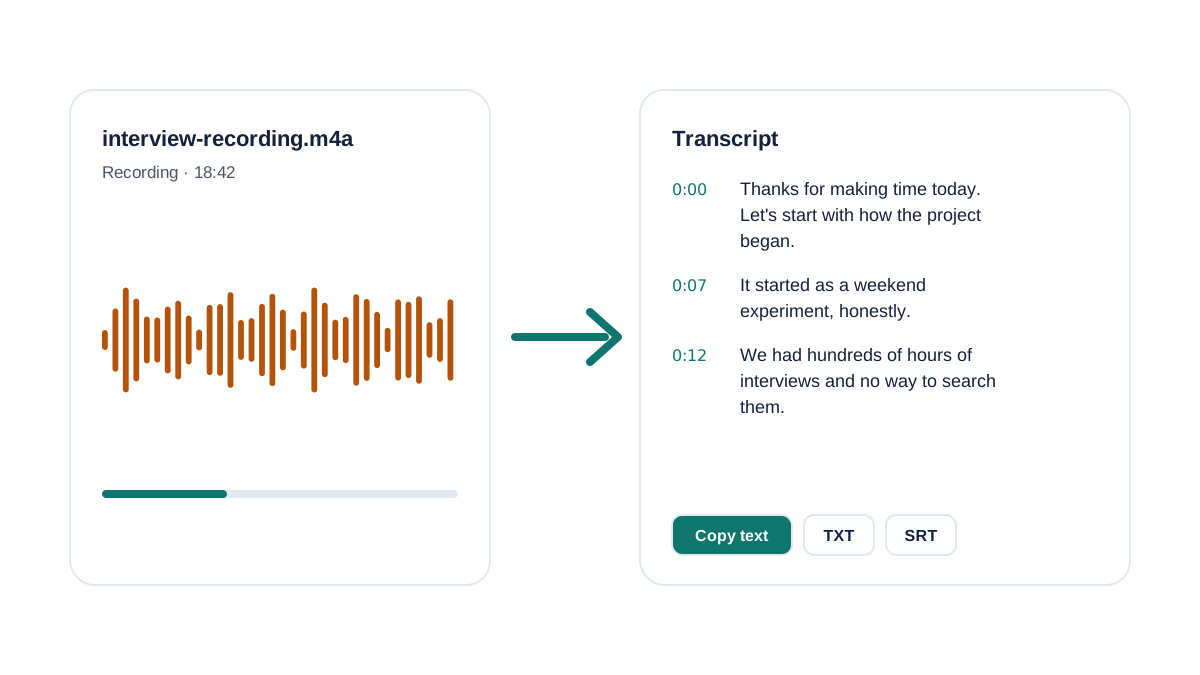
If you need to transcribe an audio recording to text, the box above does it in your browser: drop in a voice memo, MP3, Zoom recording or video and you get a clean transcript with timestamps. It's built for the everyday jobs: quoting an interview, turning a lecture into notes, writing up a meeting or captioning a clip. You can read every line next to the audio and fix it before you share it.
How to transcribe an audio recording to text
- Add your recording. Drop an audio or video file into the box above, choose it from your device, or press Record to capture audio in your browser.
- Pick the language (optional). Leave it on Detect automatically, or choose the spoken language if the recording mixes accents or starts with silence or music.
- Let it transcribe. Your browser prepares the audio locally, then each part is transcribed and the text appears as it finishes. A 30-minute file usually takes a minute or two.
- Check, copy or download. Click any timestamp to replay that moment, fix names or numbers, then copy the text or download it as TXT or SRT.
The free plan covers 3 files a day of up to 30 minutes each, which is enough for most interviews, lectures and voice notes. For longer files see Premium.
What you can transcribe
Anything your browser can play. These are the most common sources and what to know about each:
| Recording | Usual file | Tip |
|---|---|---|
| iPhone Voice Memos | .m4a | Share → Save to Files, then upload |
| Android recorder | .m4a, .mp3 | Convert older .amr files to MP3 first |
| Podcasts & downloads | .mp3 | Bitrate doesn't matter much for speech |
| Zoom, Teams, Meet | .m4a, .mp4 | Use Zoom's audio-only .m4a for smaller files |
| WhatsApp voice notes | .opus, .ogg | Export the note to Files first |
| Video (transcription video to text) | .mp4, .mov, .webm | Only the sound is used; the video stays on your device |
How accurate is audio-to-text transcription?
Modern speech recognition is very good on clear speech: one person, close to the microphone, little background noise. It gets worse with crosstalk, music, echoey rooms, speakerphone audio and unusual names. These are the mistakes we see most often, and how to avoid them:
- Recording too far away. Placement beats an expensive mic. Keep the phone or recorder within an arm's length of the speaker.
- Leaving music and silence in. Long intros use up free minutes and can throw off language detection. Trim them, or set the language yourself.
- Trusting names and numbers blindly. Proper nouns, figures and jargon are where any transcriber slips. Click the timestamp and listen before you quote.
- Uploading a huge video. For long videos, export just the audio (MP3 or M4A). It's faster and stays under the 200 MB free limit.
Tips for common recordings
Interviews and journalism
Record each side on its own device if the interview is remote, and say the date and the interviewee's name at the start: it anchors the transcript and helps the engine spell the name. Use the timestamps to pull exact quotes and replay them before publishing.
Lectures and classes
A 50-minute lecture is longer than the free limit, so record it in two parts or split the file at the break. Paste the transcript into your notes app and search it for the terms your professor repeated; that's usually what's on the exam.
Meetings and calls
Zoom, Teams and Google Meet recordings work as M4A or MP4. Tell participants they're being recorded (several US states require everyone's consent), then copy the transcript into your notes and pull out decisions and owners.
Podcasts and videos
Transcripts make episodes searchable and give you show notes, blog posts and captions from one recording. Download the SRT to add captions in YouTube, Premiere, CapCut or DaVinci Resolve.
Free ways to transcribe audio, compared
There are several ways to transcribe audio for free. Here's how they compare for a typical 20-minute recording (as of October 2026):
| Method | Free limit | Catch |
|---|---|---|
| Typing it yourself | Unlimited | Roughly 4–6 hours per hour of audio |
| Microsoft Word "Transcribe" | Monthly upload allowance | Needs a Microsoft 365 subscription |
| Google Docs voice typing | Unlimited | Live mic only; you can't upload a file |
| Signup-based transcription sites | Often 3 files/day or 120 min/month | Account required before your first transcript |
| This tool | 3 files/day, 30 min each | Speaker labels and long files are Premium |
Free vs Premium
The free transcriber is the full tool, not a demo: timestamps, copy, TXT and SRT for the first 15 minutes. Premium is for people who transcribe every week: 25 hours a month, files up to 10 hours, speaker labels, DOCX/PDF/SRT/VTT export, AI summaries and translation, for $9.99/month or $59.99/year. Compare plans.
What happens to your recording
Your original file never leaves your device. Your browser decodes it and converts the speech into small, compressed audio parts. Only those parts are sent to our speech engine; they're held in memory while they're transcribed and then discarded. Nothing is written to disk and we don't keep transcripts, so close the tab and they're gone. Read the privacy policy for the details.
Frequently asked questions
How do I transcribe an audio recording into text?
Open this page, drop your recording (MP3, M4A, WAV, voice memo or video) into the box at the top and wait while it transcribes. The text appears with timestamps, and you can copy it or download it as a TXT file. You don't need an account.
Can I transcribe audio to text for free?
Yes. The free plan transcribes 3 files a day, each up to 30 minutes long, with timestamps, copy and TXT download. There's no signup, no credit card and no watermark. Premium adds long files, speaker labels, DOCX/PDF export and AI summaries.
Is there a free app that can transcribe a voice recording?
You don't need to install one. This page works in Safari and Chrome on iPhone and Android: tap Choose file, pick the recording from Files or Voice Memos (share it to Files first on iPhone), or tap Record to capture a new one.
Can ChatGPT transcribe an audio file?
ChatGPT can often transcribe short audio you upload, but results depend on your plan, long recordings can be cut off, and you don't get reliable timestamps or subtitle files. A dedicated transcriber is faster for anything longer than a few minutes and gives you timestamped text you can check against the audio.
How long does it take to transcribe audio to text?
Typing a transcript by hand takes most people 4 to 6 hours per hour of audio. With AI transcription, a 30-minute recording is usually done in a minute or two, depending on your connection.
How accurate is the transcription?
With clear speech and one speaker close to the microphone, modern speech recognition gets the large majority of words right. Accuracy drops with background noise, crosstalk, heavy accents or poor phone audio. Always check names, numbers and quotes against the recording; clicking a timestamp replays that moment.
Can I transcribe a video to text?
Yes. Drop an MP4, MOV or WebM video into the box and the audio track is transcribed. Your browser extracts the sound locally, so the video file itself is never uploaded. You can download the result as SRT subtitles (first 15 minutes free).
Do you keep my recordings or transcripts?
No. Your original file stays on your device. Only compressed audio is sent for transcription, held in memory while it's processed and then deleted. We don't store transcripts at all; they exist only in your browser tab until you close it.
Which languages can it transcribe?
About 99 languages, including English, Spanish, French, German, Portuguese, Hindi, Arabic, Chinese and Japanese. The language is detected automatically, or you can pick it for better accuracy.
Can it tell different speakers apart?
Speaker labels (Speaker 1, Speaker 2, which you can rename) are part of Premium. The free transcript gives you clean paragraphs with timestamps.
More transcription tools
- MP3 to text: Convert MP3 to text free.
- Voice memo to text: Turn a voice memo into text free.