Last updated · Written by the RecordingToText team · How we work
Voice memos are where ideas, meeting notes, lectures and interviews end up - and where they get forgotten, because nobody wants to listen back to a 20-minute recording to find one sentence. Turning a voice memo into text makes it searchable, quotable and easy to share.
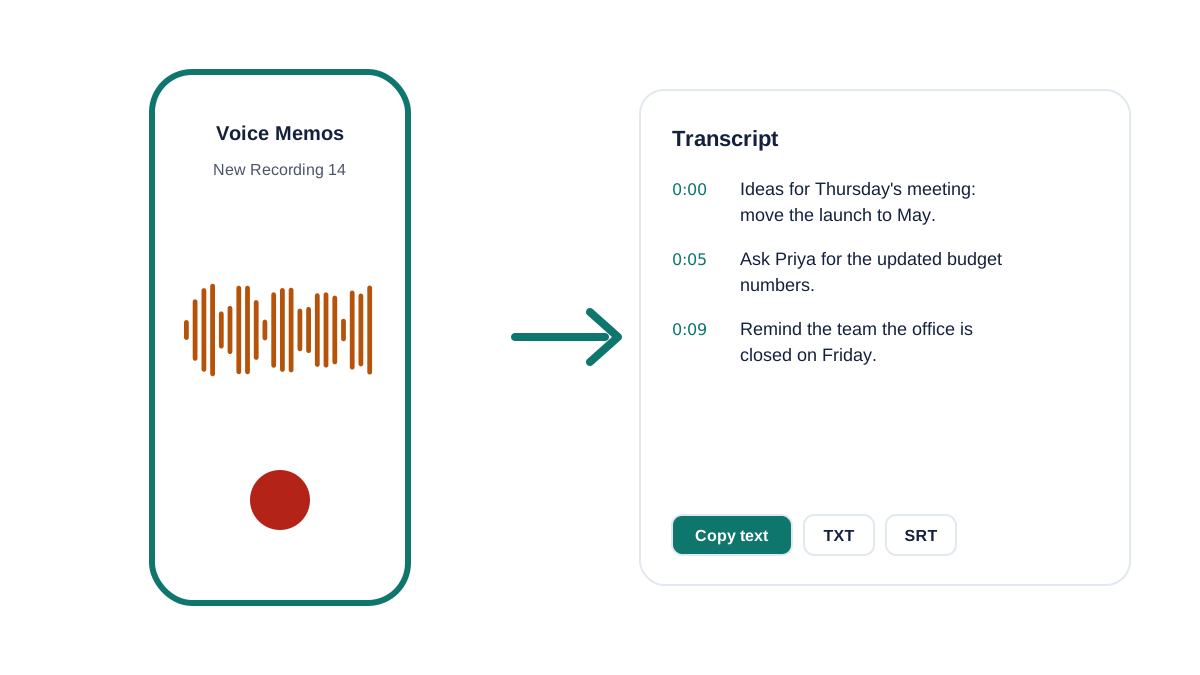
This works from your phone: open the page in Safari or Chrome, pick the memo and read the transcript a minute or two later. You can also press Record above to capture a new memo and transcribe it straight away.
How to convert voice memo to text
- Save the memo to Files. iPhone: in Voice Memos, tap ••• on the recording, then Share → Save to Files. Android: recordings are already in your Recordings or Music folder.
- Upload it here. Tap Choose file and select the memo (.m4a on iPhone; .m4a, .mp3 or .ogg on most Android phones).
- Copy the text. Copy the transcript into Notes, email or a doc, or download it as a TXT file.
iPhone, Android and WhatsApp voice notes
iPhone Voice Memos are saved as M4A (AAC) files, which every modern browser can read. Recent iOS versions also show a transcript inside the Voice Memos app for some languages, but you can't easily export it with timestamps or for long recordings - that's where this tool helps.
Android recorder apps usually save M4A or MP3. WhatsApp voice notes are Opus files (.opus or .ogg): long-press the message, share or export it to your files, then upload it here. Older Android phones that record in AMR need the file converted to MP3 first, because browsers can't decode AMR.
Get a cleaner transcript from your phone
Phone microphones are good, but placement matters more than the phone:
- Keep the phone within an arm's length of whoever is speaking, screen up, not in a pocket or bag.
- In meetings, put it in the middle of the table, away from laptops' fans and coffee machines.
- Turn on Do Not Disturb so notification sounds don't interrupt the recording.
- For lectures, sit near the front or ask to place the phone near the speaker.
Need more than 30 minutes?
Free covers 3 files a day of up to 30 minutes. Premium handles files up to 10 hours, labels speakers and exports DOCX, PDF and subtitles.
Frequently asked questions
How do I convert a voice memo to text on iPhone?
In Voice Memos, tap ••• on the memo, choose Share → Save to Files, then open this page in Safari, tap Choose file and pick the memo. The transcript appears in a minute or two.
Can I transcribe WhatsApp voice notes?
Yes. Export the voice note to your files (it's an .opus or .ogg file) and upload it here. It's transcribed like any other recording.
Is transcribing voice memos free?
Yes: 3 memos a day, each up to 30 minutes, with no signup. Premium covers longer recordings, speaker labels and summaries.
Are my voice memos private?
The memo file stays on your phone. Only compressed audio is sent for transcription and it's deleted immediately afterwards. We don't store transcripts.
Related tools
- Transcribe audio recording to text: the main free transcriber
- MP3 to text